You shipped the app. The onboarding is clean, the core loop works, and a few users already love it. Then discovery hits you in the face. App Store search feels opaque, rankings move without warning, and the usual tips on SEO sound like they were written for blogs, not iOS products.
That's the gap. Web SEO and App Store Optimization overlap in principle, but the workflow is different. Indie iOS founders need live demand signals, rank tracking, review mining, creative testing, and localization that fits how people search inside the App Store. Generic advice like “write better content” or “get backlinks” won't help much when your growth depends on title fields, screenshot conversion, category context, and keyword coverage.
Search still matters because discovery still concentrates at the top. In one cited study, organic search accounted for 53.3% of all website traffic, and Google-related surfaces generated 92.96% of all traffic in that dataset. Another widely cited 2026 summary reports that the top three organic Google results capture 68.7% of clicks, while only 0.78% of users click to page two, according to Semji's search visibility summary. The App Store behaves differently, but the lesson is the same. Visibility compounds at the top, and obscurity compounds everywhere else.
So skip the fluff. Use the list below as a working playbook.
Table of Contents
- 1. Conduct Comprehensive Keyword Research with Live Demand Metrics
- 2. Optimize App Title and Subtitle for Keyword Inclusion
- 3. Monitor Daily Rank Movements and Identify Ranking Opportunities
- 4. Leverage Market Intelligence to Understand Competitor Positioning
- 5. Optimize Screenshots with High-Intent Keywords and User Value
- 6. Implement AI-Powered Review Analysis to Identify User Feature Requests
- 7. Create and Test Keyword-Optimized App Descriptions
- 8. Build and Maintain App Ratings Through Strategic Review Management
- 9. Conduct Regular Competitive A-B Testing and Maintain a Weekly Optimization Cadence
- 10. Implement Structured Localization Strategy for International Markets
- 10-Point SEO Tips Comparison
- From Checklist to Habit Your Next Steps
1. Conduct Comprehensive Keyword Research with Live Demand Metrics
Most iOS teams start too broad. They chase obvious head terms like “fitness app” or “meditation” because those feel important, then get buried by larger brands with stronger ranking history and better conversion assets.
A better approach is to treat App Store keyword research like portfolio construction. Mix a few broad terms with more specific queries that map to an actual use case. A workout app might target “workout timer” before trying to win “fitness app.” A sleep product might focus on “sleep sounds” if that feature is a core strength. A language app might find that “learn Spanish” behaves differently by market, which changes where you push first.

The hard rule is relevance first. If users tap through on a keyword and your product page doesn't confirm that promise fast, you may earn impressions and still lose installs.
What to look for every week
Track demand, competition, and fit together. A keyword with strong demand but weak intent match is usually worse than a lower-volume phrase that cleanly describes what your app does.
Use a workflow that lets you save terms, compare them, and revisit changes over time. An App Store keyword optimizer is useful here because it forces discipline around demand, competition, and relevance instead of gut feel.
Practical rule: If a keyword would confuse a new user after the tap, it's the wrong keyword even if the volume looks attractive.
A few examples make this concrete:
- Fitness apps: “Workout timer” usually signals a clearer task than broad category wording.
- Meditation apps: “Sleep sounds” can outperform generic calmness language when sleep is the buying intent.
- Language apps: Country-by-country demand shifts can change which phrase belongs in your title versus your metadata.
Live demand matters because App Store search isn't static. Seasons change, New Year goals spike, school terms start, and competitors reposition. Check your list weekly, not quarterly.
2. Optimize App Title and Subtitle for Keyword Inclusion
Your title and subtitle do two jobs at once. They help the App Store understand relevance, and they help a human decide whether your app looks legitimate in a fraction of a second.
That's why raw keyword stuffing backfires. “Habit Tracker Goal Planner Daily To Do Focus” looks desperate. A cleaner title like “FitPro Workout Tracker” tells both the store and the user what the app is, without looking spammy. The subtitle can then carry a secondary intent like sleep, budgeting, language practice, or meal planning.
Start with the primary term that best matches the app's core job. Put it as early as you can without mangling the brand. Then use the subtitle to widen coverage or sharpen the value proposition.
A few patterns tend to work well in practice:
- Brand plus function: “FitPro Workout Tracker”
- Function plus brand: “Spanish Learning by Duolingo”
- Brand with use case in subtitle: Good when the brand already has some recognition
What good title work looks like
One meditation app might keep the brand name short and use the subtitle to cover “Sleep & Meditation.” A productivity app might shift from a vague tagline to something explicit like task capture or calendar sync. A budgeting app might decide that “expense tracker” is more commercially useful than a softer brand slogan.
Google's SEO Starter Guide recommends matching the words users are likely to search for, using clear titles and URLs, and structuring text for readability, while emphasizing content that is unique, helpful, reliable, people-first, and regularly updated in Google's SEO guidance. That advice maps cleanly to App Store naming too. Clarity usually beats cleverness.
Review titles monthly, but don't thrash them every few days. Give changes time to settle, then compare ranking movement and conversion quality, not just raw impressions.
3. Monitor Daily Rank Movements and Identify Ranking Opportunities
Weekly snapshots hide the story. Daily tracking shows whether your rankings are drifting, spiking, or collapsing after an update, creative change, seasonality shift, or competitor move.
The best opportunities usually sit in the middle of the page one fight. If you already rank near visibility for an important term, small changes can matter. Title refinement, subtitle cleanup, stronger screenshots, or better review momentum can help push you into a more valuable position.
Here's a common scenario. A to-do app sits just outside the stronger positions for “todo list.” Nothing looks broken, so the team ignores it. Meanwhile, a competitor changes its screenshots, another pushes an update, and the window closes. Teams that track daily spot that opening while it still exists.
What deserves an alert
You don't need alerts for every keyword. You need alerts for terms tied to your actual business.
- Core revenue terms: Keywords tied to paid conversion or high-retention cohorts
- Brand defense terms: Your app name and close variants
- Near-win terms: Phrases where you're close enough that one solid iteration could move the needle
- Competitor overlap terms: Keywords where rank changes often signal a market shift
Rankings alone don't pay you. Rankings plus conversion do.
If a weather app drops sharply for “weather app,” that may point to a category reshuffle, a stronger competitor page, or a broken conversion path after the tap. If a game competitor suddenly falls for “puzzle game,” that can create room for you to move with a faster metadata update and cleaner visuals.
Check movements every Monday morning. That habit is more useful than occasional deep dives because it creates a repeatable triage process.
4. Leverage Market Intelligence to Understand Competitor Positioning
You can't judge your metadata in isolation. It only makes sense against the apps users compare you with in the same search results.
That means watching direct competitors and the apps users might install instead of yours, even if they solve the problem differently. A meditation app isn't just competing with Calm or Headspace. It might also lose users to sleep apps, breathing apps, focus music tools, or journaling products depending on the query.

The useful question isn't “What keywords do they rank for?” It's “What promise are they making, and where are they leaving space?”
What to compare
Build a lightweight matrix for each competitor. You don't need a giant spreadsheet with dozens of vanity fields. You need the pieces that change positioning.
- Keywords: Which intents they seem built around
- Title and subtitle: Whether they lead with brand, category, or use case
- Screenshots: The first claim, not just the design style
- Ratings and review themes: What users trust and what they complain about
- Market coverage: Where they look localized versus machine-translated
A practical example: if two major meditation apps dominate “meditation app” but neither leans hard into sleep storytelling or anxiety relief in their visible page copy, that's useful whitespace. If a fitness competitor wins with “free workouts” positioning, that tells you price sensitivity matters in the category.
HubSpot's SEO guidance recommends doing SERP analysis before publishing, studying what already ranks, and building intent clusters around definitions, comparisons, use cases, and how-to questions in HubSpot's SEO tips. In the App Store, the equivalent is studying ranking pages before changing your metadata and then clustering around related use cases instead of chasing one isolated keyword.
5. Optimize Screenshots with High-Intent Keywords and User Value
Most founders overestimate how much screenshots should explain the interface and underestimate how much they should explain the payoff. Users don't install because your tabs are clean. They install because the first few screens make the app feel useful now.
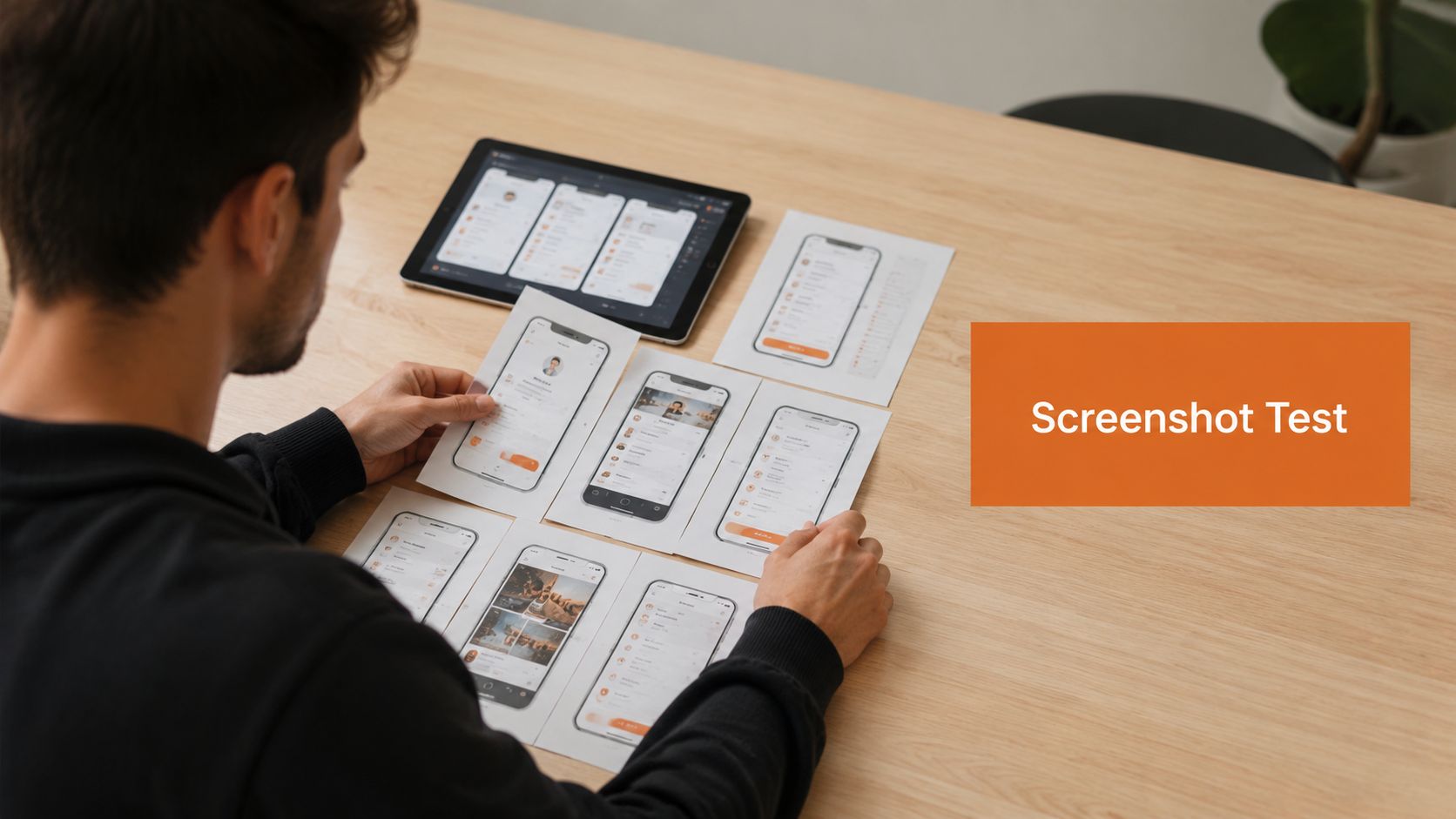
The first screenshot is your headline. The second and third support the case. If your app helps users finish a workout, sleep faster, plan meals, or learn vocabulary, say that plainly. Put the benefit where a user can read it instantly.
Read the first screen like ad copy
A weak screenshot sequence says things like “Powerful Features” or “Everything You Need.” That language wastes premium space because it could describe any app in your category.
A stronger sequence is specific. A workout app can lead with “Track workouts without setup friction.” A meditation app can lead with sleep value. A language app can show a clear learning path instead of a generic feature collage.
Use high-intent words naturally in screenshot text, especially near the start of the set. Keep them readable and tied to user value, not just keyword coverage. If you need help producing variants quickly, an App Store screenshot generator can shorten the loop between idea and test.
Test messages not just layouts
Most screenshot tests are too cosmetic. Teams swap background colors, phone frames, or gradients and then wonder why results don't teach them anything.
Test message angles instead:
- Pain point framing: “Stop forgetting tasks”
- Outcome framing: “Plan your week in minutes”
- Audience framing: “Built for freelancers”
- Feature-led framing: “Offline mode for travel”
Here's a useful walkthrough before you start iterating on visuals:
If users only read one screenshot, that screenshot still needs to sell the app.
Also localize screenshot copy. Direct translation is usually not enough. Payment expectations, phrasing, and visual preferences shift by market, so your creative should shift too.
6. Implement AI-Powered Review Analysis to Identify User Feature Requests
Reviews are one of the few places where users tell you exactly what your listing is missing. Not in polished marketing language. In blunt, repetitive, often frustrating language that's highly useful if you organize it.
The problem is scale. Even a modest app builds up more review text than most indie teams will read closely every month. That's where AI-assisted clustering helps. It can pull recurring complaints, feature requests, emotional patterns, and quality signals from your own reviews and from competitor reviews.
A sleep app might find repeated requests for offline mode. A habit app might see confusion around reminders. A budgeting app might discover that users love export tools but hate account sync reliability. Those themes should shape both the roadmap and the listing.
What to pull from reviews
Don't just separate positive and negative sentiment. Look for patterns you can act on.
- Feature demand: Requests users repeat often enough to influence positioning
- Conversion objections: Concerns that block installs, such as trust, pricing, or complexity
- Language users choose: The exact words people use to describe the benefit
- Competitor weaknesses: Complaints you can turn into differentiation
If a competitor gets hammered for a clunky interface, your screenshots and subtitle should make ease of use obvious. If users keep praising your quick capture flow, feature that in the first screenshot rather than burying it in the description.
This is one of the most practical versions of modern search guidance. Recent advice on AI-era optimization emphasizes making sections self-contained, writing for people first, and adding original, information-rich content that stands on its own in this discussion on content structure for modern Google and AI retrieval. Review analysis helps you do that because it gives you the language and priorities users already care about.
7. Create and Test Keyword-Optimized App Descriptions
Descriptions still matter, but not for the reason many teams assume. They rarely rescue a weak app page on their own. What they do well is confirm relevance, answer objections, and reinforce the exact use cases that brought the user there.
That means the first lines do most of the work. If someone lands on your page from a search around sleep, study focus, meal logging, or invoice creation, the opening needs to confirm that fit fast.
A structure that works on mobile
Write descriptions for skimming, not for literary beauty. Mobile users scan.
A simple pattern works well:
- Opening line: Lead with the main problem solved
- Short support paragraph: Explain who the app is for or when it helps
- Bullet features: Use clear feature names and naturally include secondary terms
- Differentiator: Say why this app is a better fit than alternatives
- Call to action: Give the user a reason to install now
A meditation app can naturally include sleep, relaxation, and anxiety use cases if those are real features. A productivity app can list task capture, reminders, calendar view, and offline access without sounding robotic. A fitness app can decide whether “free workouts” or “personalized training” is the sharper promise and then write the page around that choice.
Keep paragraphs short. Use line breaks generously. And don't let the description make claims the product page can't visually support.
8. Build and Maintain App Ratings Through Strategic Review Management
Ratings affect both conversion and trust. Even before a user opens your screenshots, the rating average and the volume of visible feedback shape whether the page feels safe to install.
The wrong move is begging for reviews everywhere. That annoys unhappy users and pulls more low-intent feedback into the mix. The right move is asking after a clear success moment, when the user has received value.
Ask at the right moment
For a fitness app, that might be after completing a workout. For a scanner app, it might be after the user exports a clean PDF. For a budgeting app, it might be after the first useful weekly summary appears.
Use these rules:
- Trigger after value: Ask when the benefit has already landed
- Avoid bug-prone moments: Never prompt during fragile flows like signup or sync
- Review complaints monthly: Group low-star feedback by root cause
- Respond like a product team: Acknowledge the issue, explain the fix, and stay specific
A better rating system starts with a better product loop, not a better popup.
When you fix a recurring issue, reflect that fix in your listing. If reviews complained about login friction and you simplified onboarding, say so in the release notes and show the smoother flow in screenshots. Review management works best when it's tied to product improvement, not reputation theater.
9. Conduct Regular Competitive A-B Testing and Maintain a Weekly Optimization Cadence
A-B testing matters because most ASO opinions are wrong in at least one market, category, or growth stage. The message you love might underperform. The screenshot style you copied from a top app might not fit your audience. The keyword you expected to matter might attract weak users.
So test like a product team, not like a brand committee.
Change one major variable at a time when possible. Test title ideas separately from screenshot narratives. Test message angles separately from color treatments. Keep a record of the hypothesis before the test starts, or you'll rewrite history after the result comes in.
A simple weekly rhythm
A steady cadence beats occasional ASO sprints. One reliable rhythm looks like this:
- Monday: Review rank movement, competitor changes, and review themes
- Tuesday: Pick one priority test or metadata change
- Midweek: Ship the update or creative variant
- Friday: Log observations without declaring victory too early
This discipline matters because SEO and ASO are commercial channels, not side projects. One 2026 SEO report cites research showing SEO marketing has an average 22:1 ROI, about 2,200%, and notes that a 5:1 ratio is often treated as an industry benchmark for effective marketing in Reboot Online's SEO statistics summary. App Store work isn't identical to web SEO, but the budgeting lesson carries over. Search optimization is worth treating like a repeatable acquisition system.
An indie founder can do this in a couple of focused blocks each week. A small growth team can formalize it into a recurring operating rhythm. What matters is consistency and clean documentation.
10. Implement Structured Localization Strategy for International Markets
A lot of teams “localize” by translating metadata and calling it done. That usually creates awkward phrasing, weak keyword coverage, and screenshots that feel imported rather than built for the market.
Real localization starts with local search behavior. The phrase people type in Spain, Germany, Japan, or Brazil may not be a literal translation of your best English keyword. The emotional trigger may differ too. One market may respond to speed and simplicity, another to trust and structure.
Localize positioning not just words
Start with a small number of target markets. Pick places where the category makes sense and where you can support the product experience.
Then adapt these layers:
- Keywords: Research the native phrases users search, not just translated terms
- Title and subtitle: Fit local wording and ranking opportunity
- Screenshots: Change copy, examples, and visual cues to match the market
- Description: Rewrite for local buying logic and expectations
A fitness app entering Spain might find that local terminology around routines performs better than direct translation. A meditation app in Germany might need sleep-led positioning rather than a softer mindfulness angle. A language app in Japan may need different screenshot layouts and clearer local payment expectations.
Off-site signals can matter around brand trust too, especially if you support your App Store listing with local landing pages, creator mentions, or niche content partnerships. Independent guidance on off-site optimization emphasizes third-party validation and prioritizing niche guest posts, trusted features, interviews, resource pages, and how-to guides over generic link drops in Straight North's guide to off-site optimization. For app teams, that means local authority is built through relevant mentions, not random volume.
If you're managing multiple markets, an app localization tool helps keep variants organized so titles, screenshots, and copy stay consistent without turning release week into chaos.
10-Point SEO Tips Comparison
| Item | Implementation Complexity 🔄 | Resource Requirements ⚡ | Expected Outcomes 📊 | Ideal Use Cases 💡 | Key Advantages ⭐ |
|---|---|---|---|---|---|
| Conduct Comprehensive Keyword Research with Live Demand Metrics | Moderate, tool setup and continuous weekly monitoring | Paid ASO tools, analyst time, multi-market data access | Identifies high-impact and emerging keywords; improved visibility over time | Launching or scaling apps across multiple markets; seasonal categories | Real-time demand scoring and trend detection for prioritized keyword picks |
| Optimize App Title and Subtitle for Keyword Inclusion | Low, single-field edits within character limits | Copywriter/marketer and A/B testing capability | Immediate ranking and CTR improvements when done correctly | Quick visibility boosts and urgent optimization needs | High ROI change; strong direct influence on App Store relevance |
| Monitor Daily Rank Movements and Identify Ranking Opportunities | Moderate, requires daily tracking and alerting setup | Rank-tracking tool, analyst review time | Rapid detection of drops/opportunities; validates ASO impact | Competitive or volatile categories where ranks change often | Immediate alerts and quick-win identification near top positions |
| Leverage Market Intelligence to Understand Competitor Positioning | Moderate–High, data collection plus strategic interpretation | Competitive intelligence tools, analyst time, creative review | Reveals positioning gaps and competitor-owned keywords | Market entry, repositioning, and competitor-dense categories | Uncovers uncontested keywords and creative/positioning benchmarks |
| Optimize Screenshots with High-Intent Keywords and User Value | Moderate, design, localization and A/B testing effort | Designer(s), test traffic, localization resources | Higher conversion rates from impressions to installs | Apps with decent visibility but low conversion | Improves first-impression value proposition; testable visual messaging |
| Implement AI-Powered Review Analysis to Identify User Feature Requests | Low–Moderate, integrate AI and review pipelines | AI review tool, product/ASO team time to act on insights | Prioritized feature requests and sentiment trends to guide roadmap | Apps with substantial review volume needing product insights | Saves manual review time and surfaces recurring pain points |
| Create and Test Keyword-Optimized App Descriptions | Low–Moderate, writing plus A/B testing cycles | Copywriter, A/B testing tool, localization for markets | Broader keyword coverage and improved conversion when tested | Apps needing expanded keyword reach beyond title/subtitle | Flexible updates, supports long-tail keyword discovery and persuasion |
| Build and Maintain App Ratings Through Strategic Review Management | Moderate, coordinated timing, responses and fixes | In-app review flow tools, support/dev resources, monitoring | Higher average rating, better rankings and conversion lift | Apps with middling or declining ratings seeking ranking gains | Direct ranking impact and conversion improvement from higher ratings |
| Conduct Regular Competitive A/B Testing and Maintain a Weekly Optimization Cadence | High, disciplined process, frequent testing and documentation | A/B testing platform, team time weekly, sufficient traffic | Compounded, validated growth and repeatable ASO wins | Growth teams and apps with enough traffic for statistical significance | Data-driven decisions, discovers winning variants and builds optimization culture |
| Implement Structured Localization Strategy for International Markets | High, multi-market adaptation and ongoing management | Native translators, localized creatives, market research, testing | Expanded addressable market and local conversion improvements | International expansion and high-opportunity non-English markets | Access to less-competitive local keywords and culturally optimized messaging |
From Checklist to Habit Your Next Steps
Most tips on SEO fail indie app teams because they treat optimization like a one-time cleanup job. You tweak a title, refresh screenshots, maybe translate a description, and then move on to shipping product. That approach leaves too much growth on the table because App Store visibility shifts all the time. Demand changes, competitors reposition, reviews reveal new objections, and your own product keeps evolving.
A better system is smaller and more repeatable. Start with three basics. First, lock down a focused keyword set built around real App Store intent, not vanity phrases. Second, make your title, subtitle, and first screenshot say the same thing clearly. Third, monitor rankings and review themes every week so you can react before a problem becomes your new normal.
From there, layer in the rest. Mine reviews for roadmap signals. Test screenshot narratives instead of obsessing over small design tweaks. Watch competitor positioning monthly. Localize only where you can support the market properly. If you do all of that on a fixed cadence, ASO stops feeling mysterious and starts acting like an operating system for growth.
This is also where teams usually get the biggest practical win. They stop guessing. Instead of debating what might work, they compare ranking movement, conversion response, review language, and market gaps. That discipline helps small teams beat larger ones because speed and clarity matter more than ceremony.
If your workflow is still spread across notes, screenshots, spreadsheets, and random tools, consolidating helps. Ryplix Studio is one option that fits this kind of process because it combines ASO research, competitor tracking, review analysis, rank monitoring, and creative production in one workspace. That matters less as a feature checklist and more because it reduces context switching, which is usually what kills consistency for small teams.
Don't try to implement all ten ideas at once. Pick one acquisition keyword cluster, one metadata improvement, and one screenshot test this week. Then review the outcome next Monday and decide the next move. That cycle is what compounds.
The founders who win App Store search usually aren't the ones with the fanciest launch. They're the ones who keep running the loop after launch, when everyone else gets distracted.
If you want a tighter ASO workflow for your iOS app, Ryplix Studio gives you one place to research keywords, track rankings, analyze reviews, study competitors, and produce new creative without juggling disconnected tools.