You have the same question many first-time founders, designers, and product managers have at 11 p.m. with a notes app full of ideas. Is it hard to make an app, or am I overthinking this?
Both feelings are valid.
A decade ago, building even a basic app meant hiring a real engineering team, waiting months, and spending far more than most early ideas deserved. Traditional app development often took 4 to 6 months for a basic MVP with a team of 5 to 10 developers, costing $50,000 to $250,000 depending on complexity according to industry benchmarks summarized by Lovable’s 2026 mobile app development trends guide.
That history still shapes how people think. They assume every app requires a giant budget, deep coding skills, and endless technical risk.
But the ground has shifted. By 2026, Gartner projects that low-code development tools will account for 75% of new application development, up from 40% in 2021, according to Lovable’s summary of the projection. The practical meaning is simple. App building is no longer reserved for elite engineering teams.
The better question is not “is it hard to make an app?” It is “how hard is my app to make?”
That distinction matters because a habit tracker, a marketplace, and a real-time social app are not the same project. One may be very achievable with modern tools. Another may still need strong engineering discipline.
If you want a useful answer, you need a way to score the difficulty of your idea, choose the right build path, and avoid making your first version much harder than it needs to be.
Table of Contents
- 1. The Honest Answer To Your Big App Idea
- 2. The Core Factors That Define App Difficulty
- 3. Choosing Your Development Path
- 4. The Rise Of AI-Assisted App Development
- 5. Estimating Your Time And Cost Investment
- 6. A Practical Checklist To Make App Creation Easier
- 7. Your Next Steps Based On Your Role
- 8. Frequently Asked Questions
1. The Honest Answer To Your Big App Idea
A founder writes down an idea on a train ride home. It seems clear in their head. Users create profiles, discover something useful, maybe message each other, maybe pay, maybe get personalized recommendations. Then the doubts start.
Do I need a developer first?
Do I need wireframes?
Can I do this with no-code?
Am I about to waste six months?
That anxiety is normal because “make an app” sounds like one task, but it is a stack of tasks. Product thinking, UX decisions, data modeling, user flows, testing, publishing, and ongoing fixes all sit underneath that one sentence.

The honest answer is this. Making an app can be easy, hard, or brutally hard depending on what you are building.
A simple utility app with a few screens and no custom backend is one kind of job. A two-sided marketplace with payments, messaging, and moderation is another. A polished consumer app with offline support, analytics, subscriptions, and AI features is another again.
That is why broad advice fails beginners. “Just use no-code” is incomplete. “Hire developers” is also incomplete. Both can be right. Both can be wrong.
A better starting point is to calculate your app’s difficulty score. Score the things that increase complexity. Then choose the development path that fits that score, instead of choosing a tool first and hoping it works out.
If you review your idea like a product lead would, the job is not to ask whether app development is hard in general. The job is to reduce unnecessary difficulty before you build.
2. The Core Factors That Define App Difficulty
Building an app feels a lot like building a house.
A simple app is a shed. It needs to stand up, open properly, and do one job well. A more ambitious app is a smart house with custom wiring, multiple systems, outside services, and lots of things that can break.
Most app difficulty comes from four areas. If you score each one from 1 to 5, you will get a rough picture of how hard your app is.
- 1 means straightforward
- 3 means moderate complexity
- 5 means advanced and risky
Your total score will land somewhere between 4 and 20. Lower scores fit simpler tools. Higher scores need stronger engineering.
App Type And Features
Features are the first thing beginners think about, and the first place they overbuild.
A notes app that saves personal entries is relatively light. A social app with feeds, comments, push notifications, likes, follows, moderation, and real-time chat gets complicated fast.
Use this rule of thumb:
- Score 1 if your app does one main job
- Score 3 if it has several connected workflows
- Score 5 if users interact with each other in real time, upload lots of content, or depend on personalization
A meditation timer is easier than a food delivery app.
A booking app is easier than a marketplace.
A directory is easier than a community platform.
If you are asking “is it hard to make an app like Uber, WhatsApp, or Instagram,” the answer is yes. Those are multi-system products, not beginner projects.
UX And Interface Complexity
Plenty of founders assume design is about making screens look good. In reality, UX determines how many decisions your product team has to make before code even starts.
A basic app with standard navigation, a few forms, and familiar patterns is much easier to build. A custom interface with animations, edge-case states, onboarding logic, and lots of conditional behavior takes more effort.
Score this factor higher if your app needs:
- custom gestures
- dense dashboards
- many user roles
- complicated onboarding
- highly polished motion and transitions
A simple event RSVP app may have a clean path from home screen to confirmation. A finance app needs more trust cues, clearer error states, stronger information hierarchy, and more careful wording.
The hard part is not decoration. It is decision-making.
Backend And Data Needs
Many “simple” app ideas become serious software projects here.
If your app stores little or no user data, backend work stays manageable. Once you add accounts, permissions, saved content, admin tools, analytics, syncing, or AI processing, the project changes shape.
Ask:
- Do users need to sign in?
- Does the app store personal or shared data?
- Do different users see different content?
- Do you need a dashboard or admin panel?
- Will the app connect to a server for business logic?
If the answer is yes to several of these, your difficulty score goes up.
Reliability also matters more here than beginners expect. According to Aetherius Solutions’ analysis of app development timelines, improper handling of asynchronous API calls can cause up to 70% of app crashes. That is a useful reminder that backend work is not invisible plumbing. It directly affects the user experience.
Third-Party Integrations
Integrations sound convenient because they save you from building everything from scratch. That part is true. They also introduce dependencies, edge cases, and approval flows.
Each extra service adds setup, testing, and maintenance.
Common integrations include:
- Stripe for payments
- Firebase or Supabase for backend services
- Google Maps or Mapbox for location
- Auth providers for login
- Analytics tools
- AI APIs
One integration is manageable. Several can turn into the main source of project friction. A founder may think they are building “just a marketplace,” but the moment they add payments, messaging, notifications, identity, ratings, and geolocation, they are coordinating many moving parts.
Your Difficulty Score Framework
Use this quick scoring sheet:
| Factor | 1 | 3 | 5 |
|---|---|---|---|
| Features | One core task | Several workflows | Real-time, marketplace, social, AI-heavy |
| UX | Standard screens | Some custom logic | Highly custom, many edge cases |
| Backend | Minimal data | Accounts and saved data | Roles, admin, syncing, custom logic |
| Integrations | None or one | A few services | Multiple critical dependencies |
Then total your score:
- 4 to 7 = low difficulty
- 8 to 12 = moderate difficulty
- 13 to 16 = high difficulty
- 17 to 20 = very high difficulty
This score is not math pretending to be certainty. It is a way to stop vague fear and replace it with a grounded decision.
3. Choosing Your Development Path
Once you know your difficulty score, the next question is practical. What is the smartest way to build this app?
Teams often choose one of three paths:
- Native development
- Cross-platform development
- No-code or low-code development
The right choice depends less on trends and more on fit.
A short market reality check helps. According to Lovable’s roundup of 2026 mobile app development trends, Gartner projects that 75% of new application development will come from low-code tools by 2026, up from 40% in 2021, and a significant number of new app projects now use low-code or no-code tools. That does not mean low-code is always best. It means teams increasingly choose speed and accessibility when the product allows it.
A quick visual primer can help if you are still sorting the options.
App Development Paths Compared
| Criterion | Native (Swift/Kotlin) | Cross-Platform (React Native/Flutter) | No-Code/Low-Code (Bubble/UX Pilot) |
|---|---|---|---|
| Best for | High-performance apps, advanced platform features | MVPs and products targeting iOS and Android together | Early validation, internal tools, straightforward consumer apps |
| Speed | Slowest | Faster than native | Fastest for many MVPs |
| Cost pattern | Highest team cost | Mid-range | Lowest entry cost |
| Performance | Strongest | Strong enough for most products | Depends on platform limits |
| Flexibility | Maximum control | High control | Limited by tool capabilities |
| Skill requirement | Experienced mobile engineers | Developers with framework experience | Founders, PMs, designers, or mixed teams |
| Scalability | Strong | Strong for many use cases | Varies by use case |
| Good fit for difficulty score | 13 to 20 | 8 to 16 | 4 to 10 |
Native Development
Native means building separate apps for iOS and Android using platform-specific languages and tools.
Choose native when performance, platform-specific behavior, or deep device integration matter. Games, advanced camera apps, AR experiences, or products with demanding offline behavior land here.
The trade-off is obvious. You get more control, but you also get more work. Two platforms often mean more decisions, more testing, and more coordination.
This path makes sense for a hard app. It is overkill for a small MVP.
Cross-Platform Development
Cross-platform tools like React Native and Flutter let teams build one shared codebase for both platforms.
For many startups, this is the most balanced path. You move faster than native, keep a good level of control, and can ship a real product without maintaining two fully separate apps from day one.
This route works well when:
- you need iOS and Android early
- your product has moderate complexity
- performance matters, but not at gaming-level intensity
- you have developers, but need greater efficiency
A booking app, community app, subscription app, or service marketplace fits here.
No-Code And Low-Code Development
No-code and low-code tools are best when you need speed, validation, and lower technical overhead.
They are strongest for:
- proof-of-concept products
- internal tools
- admin dashboards
- content-driven apps
- simple workflows
- founder-led MVPs
Many beginners should start here. Not because coding is bad, but because most first versions contain too many assumptions. If your app idea still needs market proof, building the lightest viable version is the smartest move.
If your score is low to moderate, no-code can save you from spending months on software nobody needed.
If you are evaluating AI-assisted coding and design support along the way, teams pair these workflows with tools like Codia AI during early concepting and handoff.
A Practical Match Between Score And Path
Use your difficulty score like this:
Score 4 to 7
Start with no-code or low-code. Keep the feature set tight. Focus on real user feedback.
Score 8 to 12
Cross-platform is the sensible middle ground. Some low-code projects still fit here if the core workflow is simple.
Score 13 to 16
Use cross-platform carefully or go native if performance and custom behavior are central.
Score 17 to 20
Expect a real engineering project. Strong architecture, backend planning, and QA matter from the start.
The biggest mistake I see is not choosing the “wrong technology.” It is choosing a path that is too heavy for the uncertainty of the idea.
4. The Rise Of AI-Assisted App Development
There is a fourth force changing this decision. It cuts across every path above.
That force is AI-assisted app development.
This is not just about asking a chatbot to write code. The more useful shift is broader. AI now helps teams move from rough idea to user flow, from user flow to wireframe, and from wireframe to build-ready assets with less manual effort.
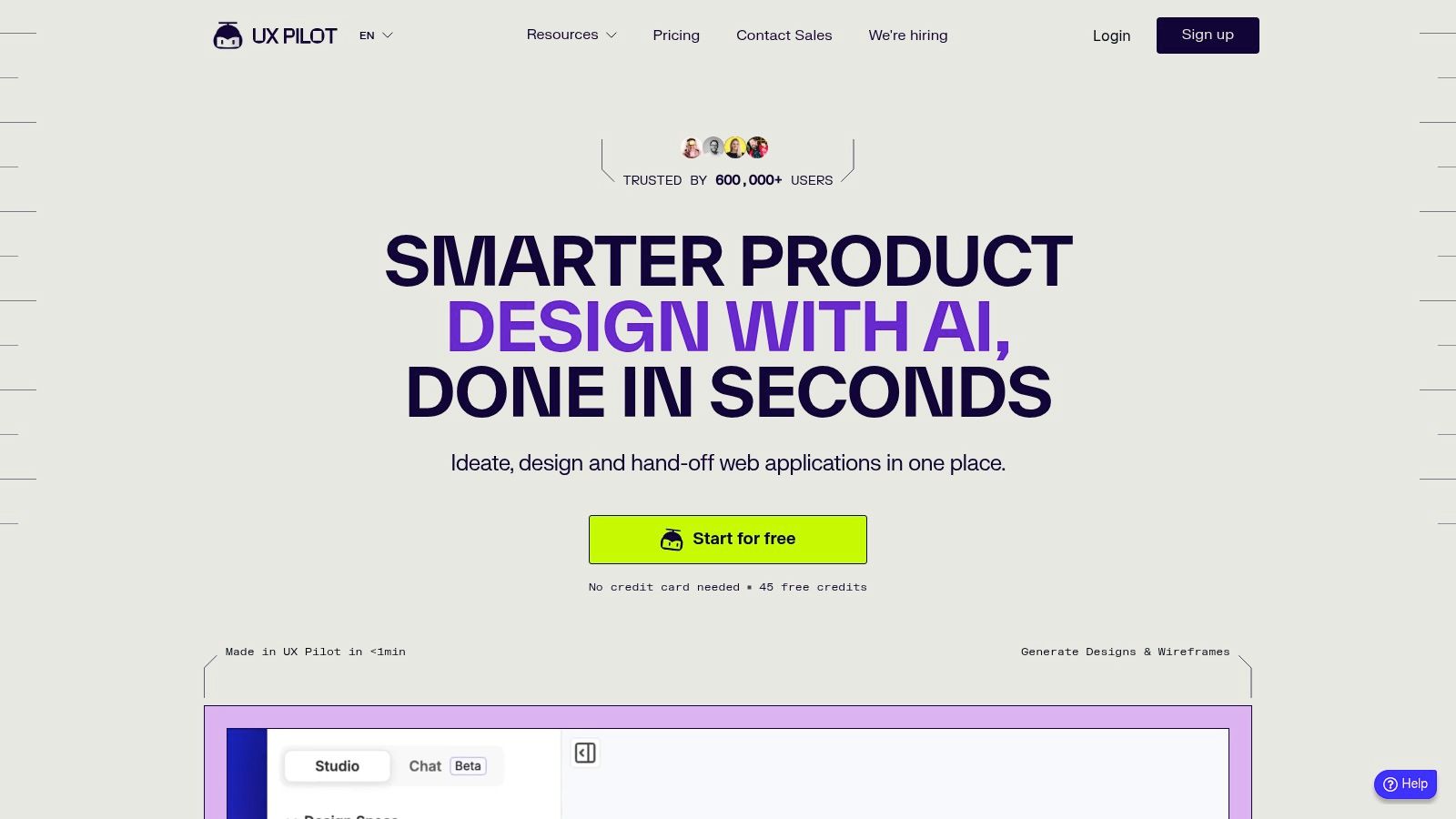
That matters because many app projects do not stall in pure coding. They stall earlier. The team is unclear on scope. Screens are missing. Flows are inconsistent. Handoff takes too long. Designers and engineers interpret the same feature differently.
AI helps reduce that friction.
According to Base44’s collection of app development statistics, 84% of developers use or plan to use AI in their workflow, and Cornell research cited there reports a 5.5% productivity gain. The same source says 70% of mobile apps now use AI to enhance user experience.
Those numbers do not mean AI solves everything. They do show that using AI in app work is no longer experimental behavior on the edge of the industry.
Where AI tends to help most:
- turning prompts or PRDs into wireframes
- generating first-pass user flows
- speeding up repetitive design variations
- creating developer handoff artifacts
- helping teams explore more concepts before committing
Where AI still needs human judgment:
- prioritizing features
- validating whether users care
- reviewing code quality
- catching edge cases
- deciding what should not be built
That distinction matters. AI lowers effort, but it does not remove responsibility.
For non-technical founders, this means you can get further before hiring a full team. For product managers, it means faster alignment. For designers, it means less time pushing boxes before solving the core interaction problem. For developers, it means fewer hours spent rebuilding obvious interface patterns from scratch.
If your main bottleneck is getting from concept to a concrete app structure, an AI wireframe generator is often the fastest way to lower your app’s difficulty score before development even starts.
5. Estimating Your Time And Cost Investment
People ask about cost too early and too vaguely.
“How much does it cost to build an app?” is like asking how much it costs to build a house without saying whether you mean a cabin or a five-bedroom custom build. You need the scope first.
The useful way to estimate is to combine your difficulty score with your development path.
According to Aetherius Solutions’ breakdown of app development timelines, simple apps average 1 to 2 months, medium-complexity apps like a WhatsApp clone take 2 to 4 months, and complex apps often exceed 4 to 6 months. That is a more grounded starting point than the fantasy timeline many first-time founders carry around.
If Your App Is Low Difficulty
Think habit trackers, calculators, simple booking flows, lightweight directories, or content apps.
With no-code or low-code, this can be a short project. In some cases, a founder or designer can assemble a useful MVP in weeks rather than months using modern tools and templates.
Your main cost categories are:
- platform subscriptions
- design or template work
- light development help if needed
- testing and launch setup
The trap at this level is adding “just one more thing” until the app stops being simple.
If Your App Is Moderate Difficulty
This group includes many startup MVPs. Marketplaces with limited scope, service apps, community products, or subscription apps land here.
Cross-platform becomes attractive because it balances speed with control.
Budget pressure rises because you now need more than screens. You need:
- account logic
- database structure
- integrations
- a more careful content model
- stronger QA
A lot of founders underestimate how quickly complexity compounds once users can create content, message each other, or pay.
If Your App Is High Difficulty
Costs climb significantly here because mistakes get expensive.
A high-difficulty app requires custom backend logic, careful architecture, stronger security thinking, and a more disciplined release process. Native development may be justified, especially if performance or deep platform behavior is central.
The cost is not only in coding hours. It is also in coordination, testing, debugging, and iteration.
This is why product clarity saves money. Every unresolved question turns into rework.
A good estimate is not a single number. It is a range tied to a scoped MVP. If you cannot describe the first version in a short feature list, your estimate is probably not ready either.
6. A Practical Checklist To Make App Creation Easier
Most app projects get hard for one simple reason. The team starts building before reducing uncertainty.
A better approach is to make the project easier in stages.
1. Cut The Idea Down To An MVP
Write the core user promise in one sentence.
Then ask, “What is the smallest version that still delivers that promise?” If your app helps people book local fitness classes, the MVP may only need discovery, schedule view, and booking confirmation. It does not need loyalty points, social sharing, or instructor chat yet.
If a feature does not help prove the main value, move it out of version one.
2. Validate Before You Build
Talk to likely users. Show them sketches. Ask what they do now without your product.
You are looking for friction, not compliments. If people say the idea sounds cool but cannot describe when they would use it, slow down. If they immediately explain how it fits into their routine, you may have something worth building.
3. Prototype Fast
A rough prototype saves painful debate later.
Clickable flows, simple wireframes, and structured screens help teams discover confusion early. If you want to move faster, using mobile design templates can reduce blank-canvas time and keep your first draft grounded in common patterns.
The key is speed, not polish.
4. Choose The Lightest Build Path That Can Work
Do not graduate to heavier tooling just because it feels more “real.”
A founder with a moderate idea jumps straight to custom development when a simpler route could validate demand first. Start with the lightest path that supports your core workflow. Move up only when the product proves it needs more.
5. Plan For QA Early
Many optimistic plans break here.
According to Sparkout Tech’s analysis of app development delays, 71% of projects fail to deliver on time and budget, and QA can take 2 to 6 weeks. That matters because no-code and AI help you start faster, but they do not remove the need to test flows, edge cases, device behavior, and release readiness.
If you ignore QA until the end, the app feels “almost done” for much longer than expected.
6. Expect The First Version To Teach You Something
Your first release is not the finish line. It is a learning tool.
Users will misunderstand things you thought were obvious. They will ignore features you spent too much time on. They will ask for a simpler path through the product. Teams that expect this learn faster and waste less energy defending early assumptions.
The easiest app project is not the one with the best initial plan. It is the one built to adapt.
7. Your Next Steps Based On Your Role
The right move depends on what hat you wear.
If you are a non-technical founder, do not begin by hiring a full team to build every feature in your head. Score the app, cut it to an MVP, and validate demand with a prototype or no-code build.
If you are a UX or UI designer, your strength lies in clarity. Turn vague product ideas into real flows, identify missing states, and remove ambiguity before developers touch the work.
If you are a product manager, use the difficulty score as a planning tool. It helps teams avoid pretending a high-complexity product is a “quick MVP.” It also helps you defend scope decisions with logic instead of opinion.
If you are a developer, your highest-value contribution is not cranking out every standard screen by hand. It is solving the hard parts well. Architecture, data design, integrations, performance, and reliability matter most when the app score climbs.
If you are still asking “is it hard to make an app,” the practical answer is this. It gets easier when you stop treating every app like a full-scale software company from day one.
8. Frequently Asked Questions
Can I realistically make a quality app for free
You can get surprisingly far for little money, especially in prototyping and no-code environments. But “free” means limited features, platform constraints, or a lot of your own time.
For a real public app, expect some cost in tooling, testing, design, or development help. Even lean projects need some budget or trade-offs.
How do I protect my app idea from being stolen
Basic legal tools like NDAs can help in some cases, and your brand, code, and content may be protected in different ways. But most early founders overestimate idea theft and underestimate execution risk.
The hard part is not having the idea. It is turning it into a useful, tested, well-positioned product.
What should I learn first if I want to make an app
For many, the first skill is not coding.
It is product validation. Learn how to define a narrow user problem, test demand, map a clean workflow, and cut scope. That skill saves more time and money than jumping into syntax too early.
Should I start with iPhone or Android
If you are building natively and need to choose one, start where your likely users are. If your audience is mixed and speed matters, cross-platform or low-code may be more practical for the first version.
Is no-code only for simple apps
No. But simple apps are where it shines fastest.
No-code is best treated as a smart first move when uncertainty is high. If traction, complexity, or custom requirements grow, you can reassess with better evidence.
If you want to move from rough idea to testable screens quickly, UX Pilot helps teams turn prompts, sketches, PRDs, and references into wireframes, polished UI, and build-ready handoff assets in seconds. It is a practical way for founders, designers, PMs, and developers to reduce app difficulty before expensive implementation starts.